Skipper · the TV and movie tracker What should I watch next? Who am I watching with? How can I pay less?

Skipper is a TV and movie tracker that answers all three, and always knows where to watch it. Crafted for iPhone, iPhone Duo, iPad and Apple TV.

Free with Skipper Pro for no ads and a plan for your subscriptions · on iPhone · iPhone Duo · iPad · Apple TV · featuring For You · Watching With · Open In and alerts that save money · imports from Trakt · Plex · Jellyfin · Emby · Letterboxd · IMDb · Simkl · iCloud sync, no account · Siri · Spotlight · in English · Español · Deutsch · Français 日本語 · 한국어 · Português · out now

Everything in Skipper starts with these three questions.

What should I watch next?

Picks from what you love, on the services you have.

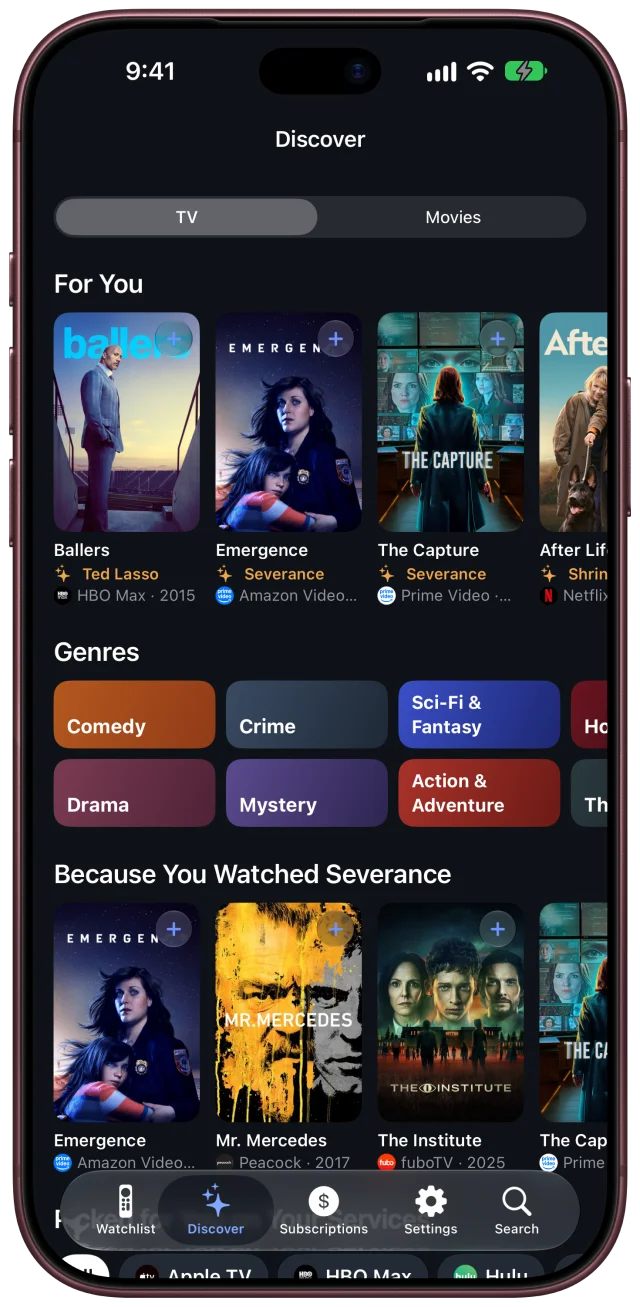
Discover learns from your library. For You picks from what you watch and rate, Because You Watched follows a show you loved, and genres start with the ones you watch most. Follow the actors and creators you love, and Skipper tells you when they have something new.

Picked for you on your services. Pro finds what's worth watching on the services you already pay for, so the next good thing doesn't cost another subscription.

Skipper's Discover tab: For You, with picks based on the shows in the library

Who am I watching with?

Some shows are yours. Some are ours.

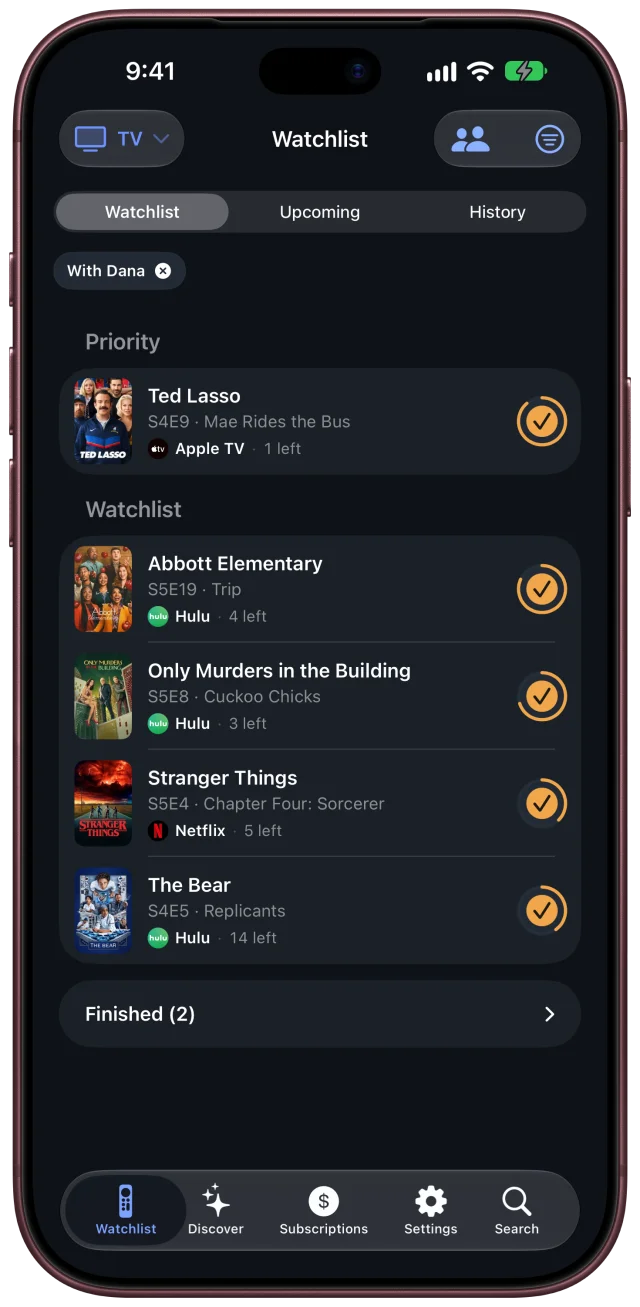
No more “wait, you watched ahead without me?” Watching With remembers who you watch each show with: your partner, the kids, Friday-night friends. Pick someone and your Watchlist shows only your shows together, where you left off. One person keeps track for the household; nobody else needs the app. Free.

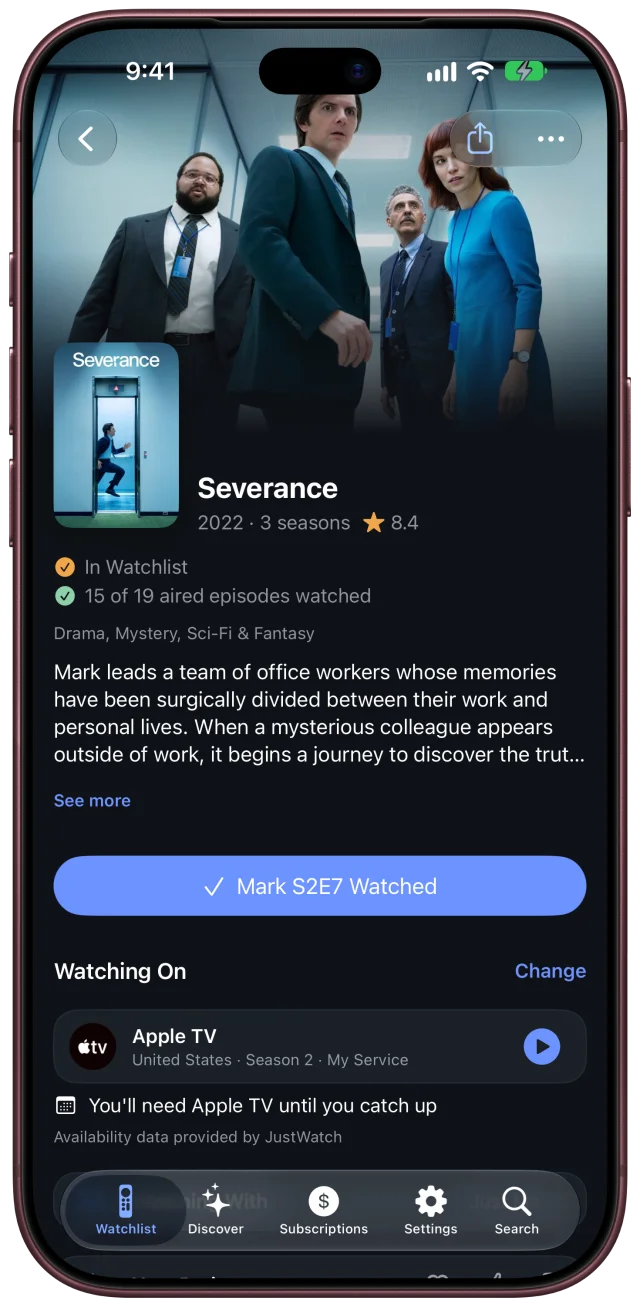
The Watchlist filtered to the shows watched with Dana Severance's page, with where to watch it on Apple TV

How can I pay less?

Pay only for the services your shows need.

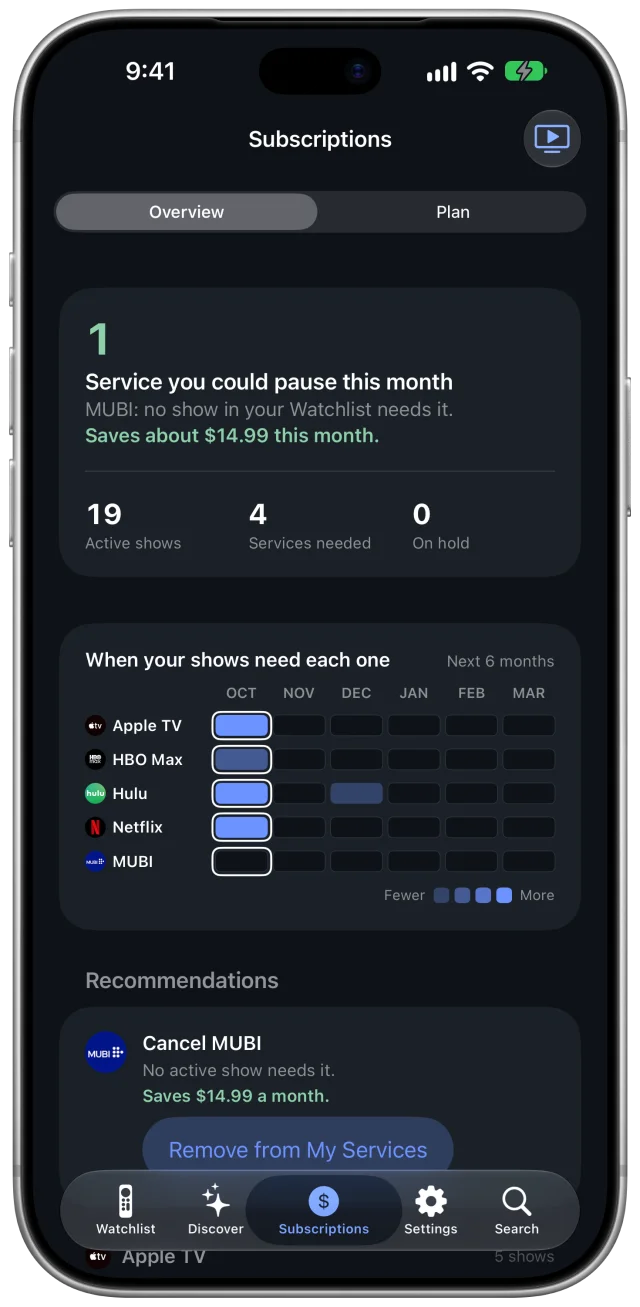
Subscriptions shows which services your shows use this month, and which have nothing for you. Skipper Pro turns it into a plan built from what you actually watch: pause a service until a show comes back, or watch one at a time.

Alerts that save money. Pro tells you when a movie you're waiting for lands on one of your services, when a show you follow arrives on a service you already have, and when a service has nothing left for you, so you know what to cancel.

Skipper's Subscriptions tab: the services needed month by month

And always, where to watch it.

On your services first, one tap from playing.

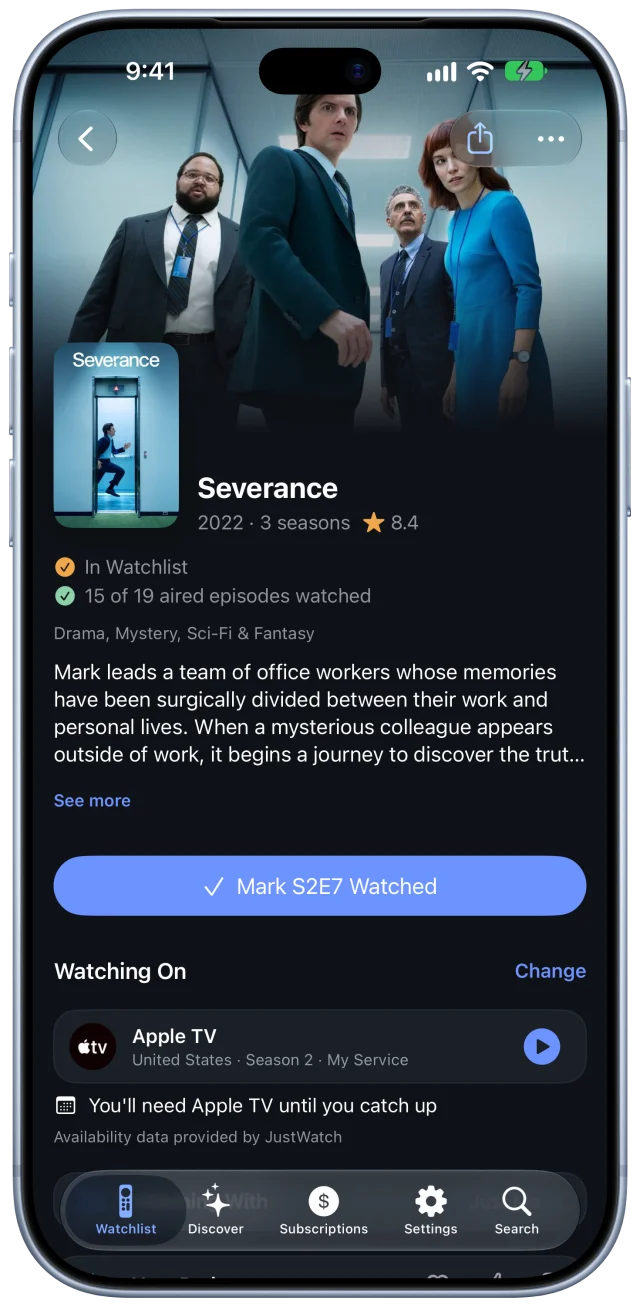
Tell Skipper which services you have. Every show and movie lists the services you already have at the top, and one tap opens it right in the service's app.

Not streaming in your country? Skipper tells you where in the world your services carry it, so you know where to find it when you travel or use a VPN.

A show's page in Skipper: Severance, watching on Apple TV, season 2

Crafted for every Apple screen.

Built natively for iOS 27 and tvOS 27, not wrapped from the web. It stays smooth with thousands of titles in your library, and syncs through your own iCloud, so it's the same everywhere with no account to make.

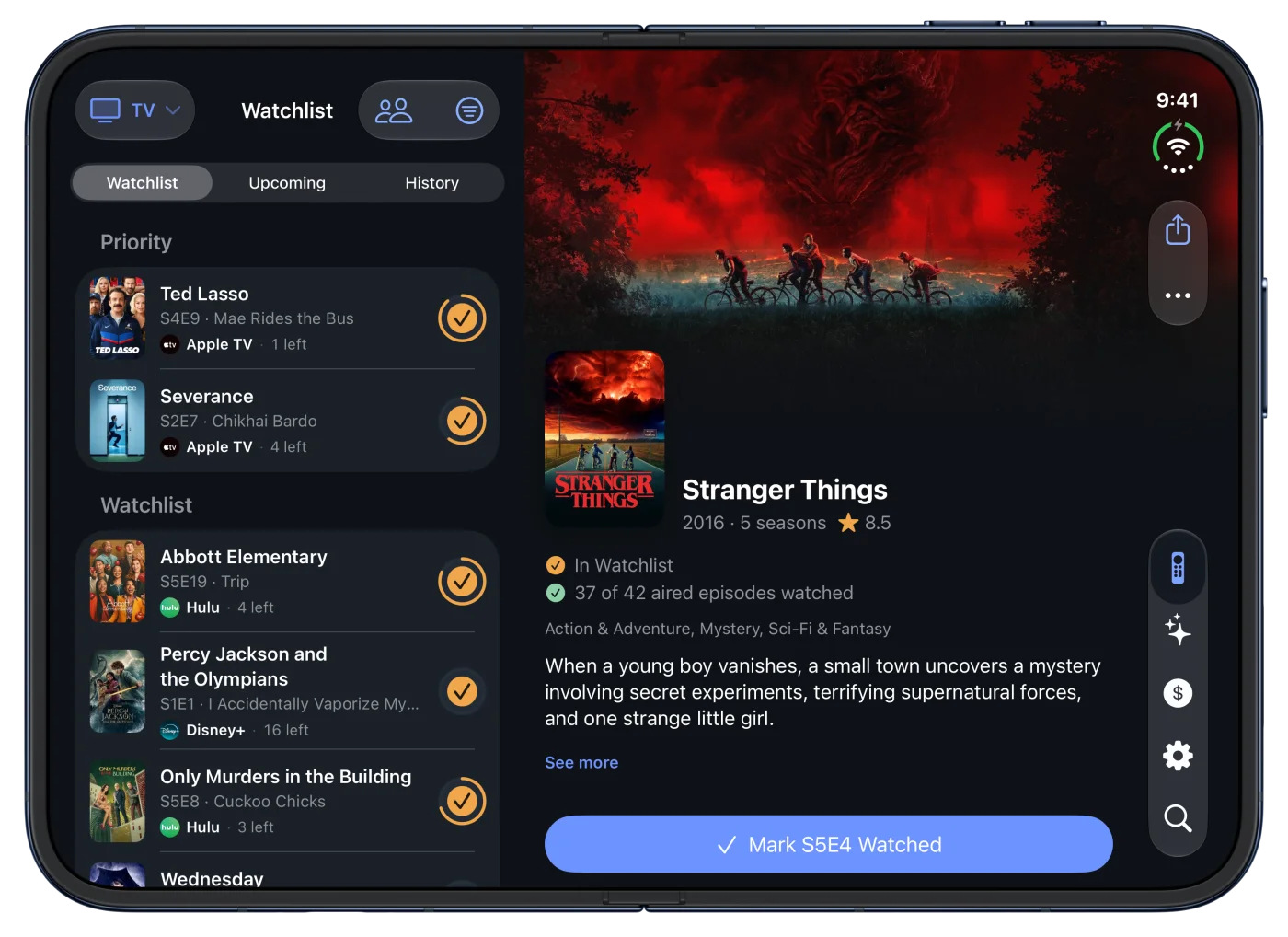
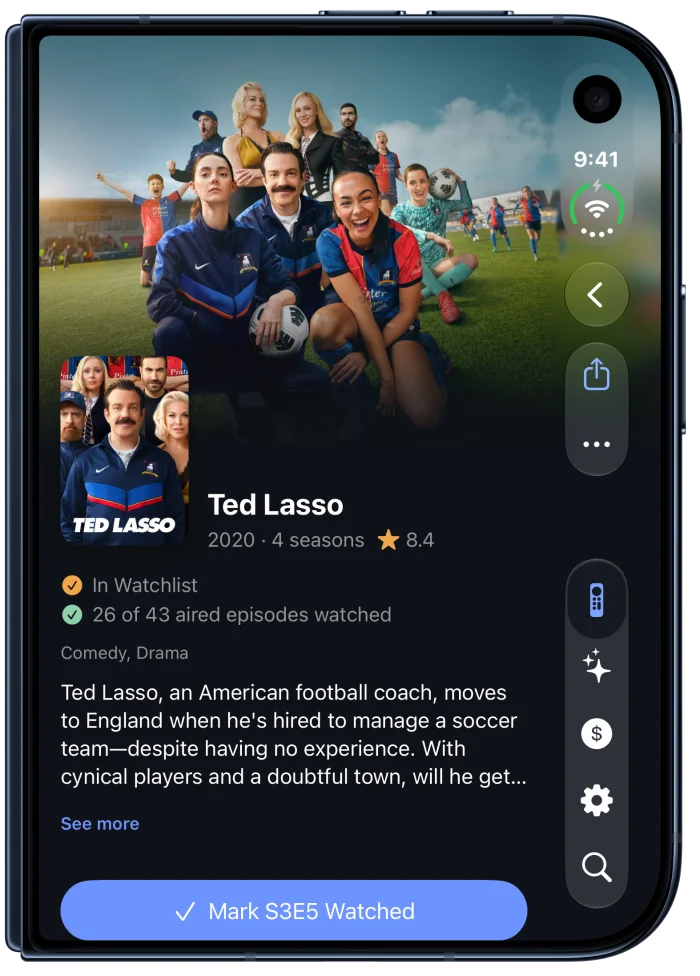
Skipper on iPhone Duo, open: the Watchlist beside Stranger Things' pageSkipper on iPhone Duo, closed: Ted Lasso's page
iPhone Duo. Unfold it and your Watchlist sits beside the show you're on. Fold it and you're back on the iPhone layout, right where you were.
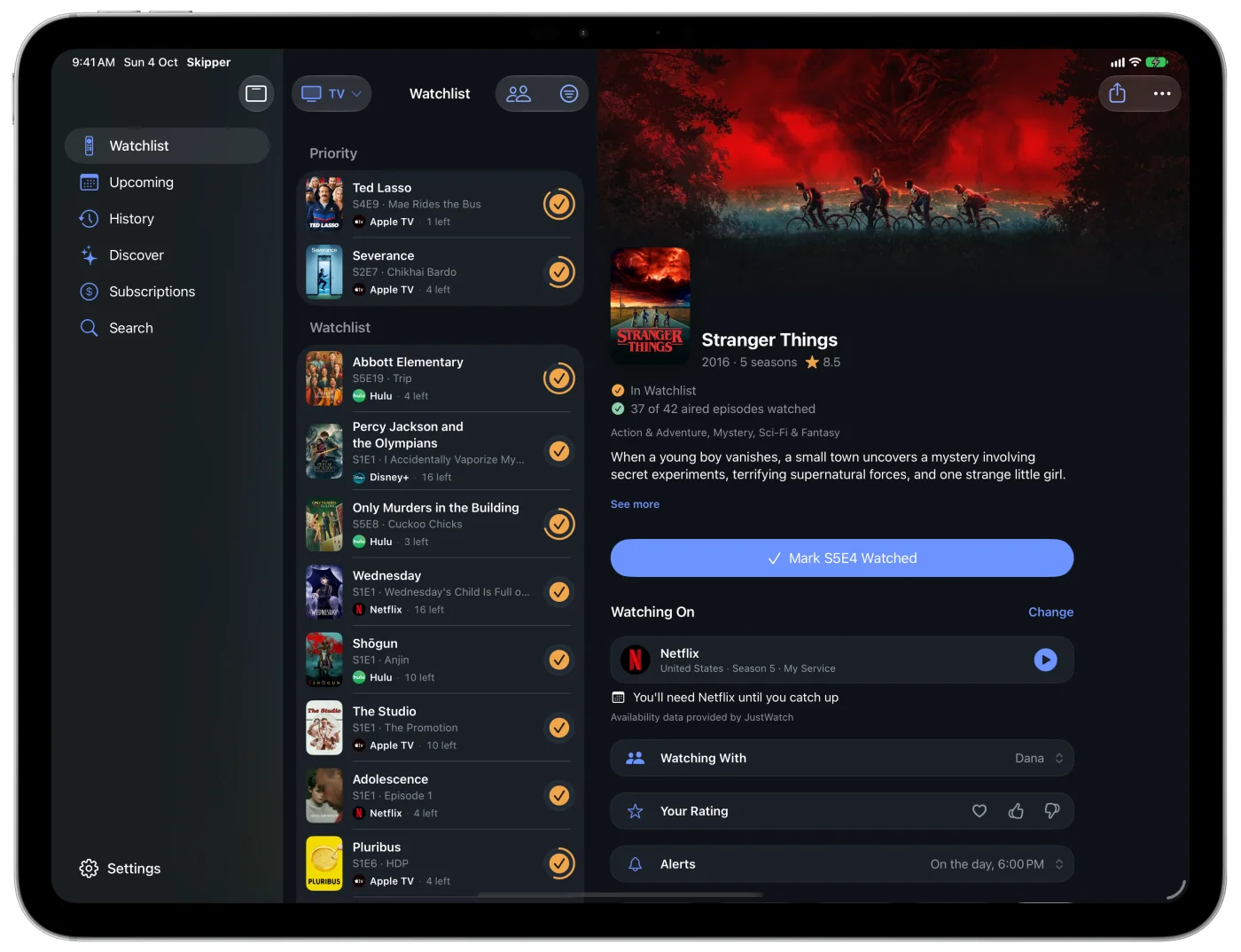
Skipper on iPad: the sidebar, the Watchlist and Stranger Things' page side by side
iPad. A sidebar, your list and the show side by side. Keyboard and pointer support, and any show in its own window.
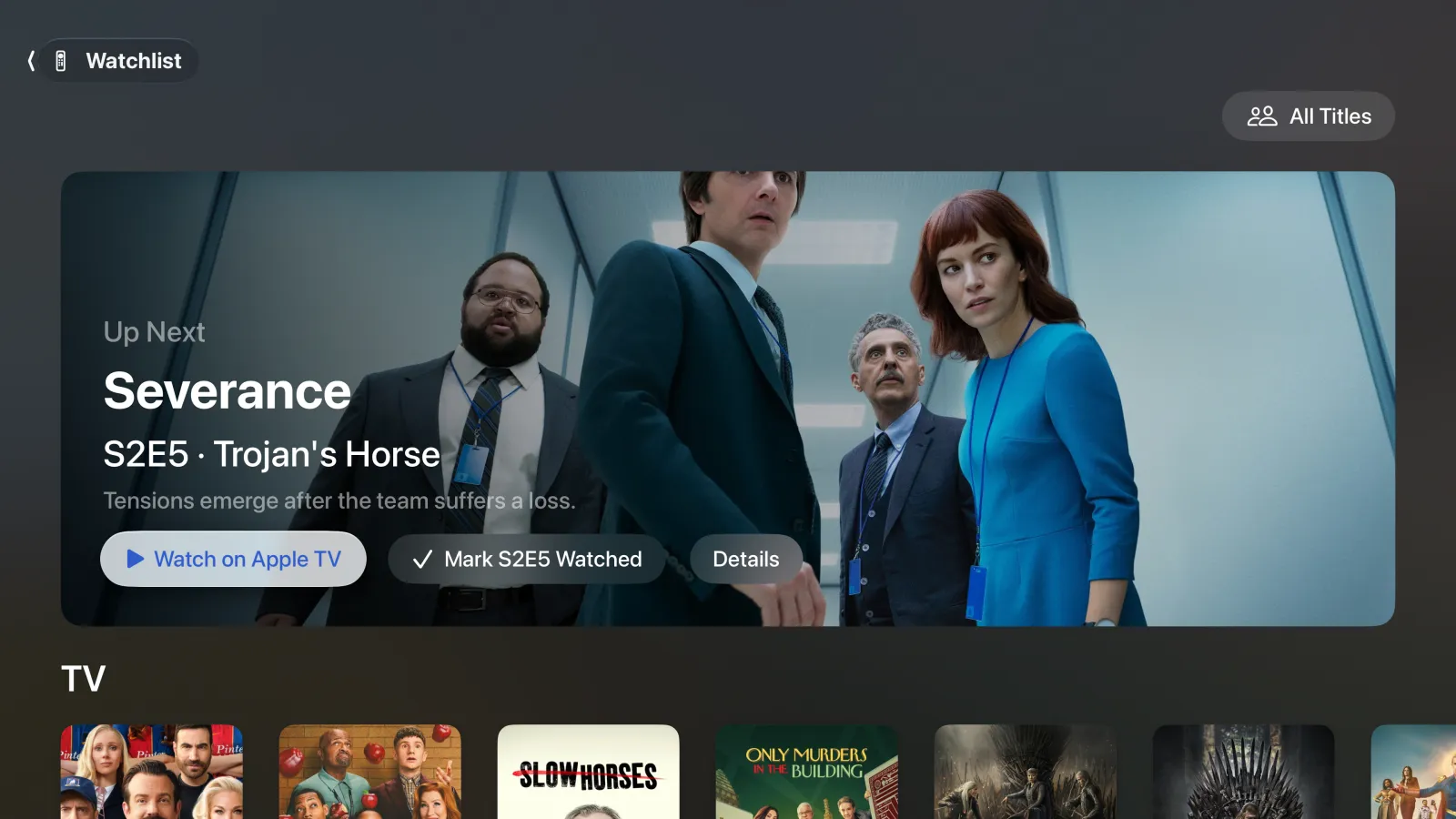
Skipper on Apple TV: Up Next is Severance, with Watch on Apple TV and Mark Watched
Apple TV. Click a show to play it in its app. When you're back, Skipper asks if you finished the episode, and Up Next waits on the Home Screen.

Liquid Glass · Dynamic Type · VoiceOver · Siri · Shortcuts · Spotlight · Top Shelf · iCloud · Family Sharing · Seven languages

The little things, done right.

  • Open In. Send any show or movie to its streaming app, Callsheet, Letterboxd, JustWatch or TMDB.
  • Your own media server. Watch from your own Plex, Jellyfin or Emby server. Skipper knows what's on it, and one tap plays it.
  • I Own This. Bought it on a store, or have it on a disc or as files? Mark it from its page, and Skipper stops counting a service for it. For a show, pick the seasons you own.
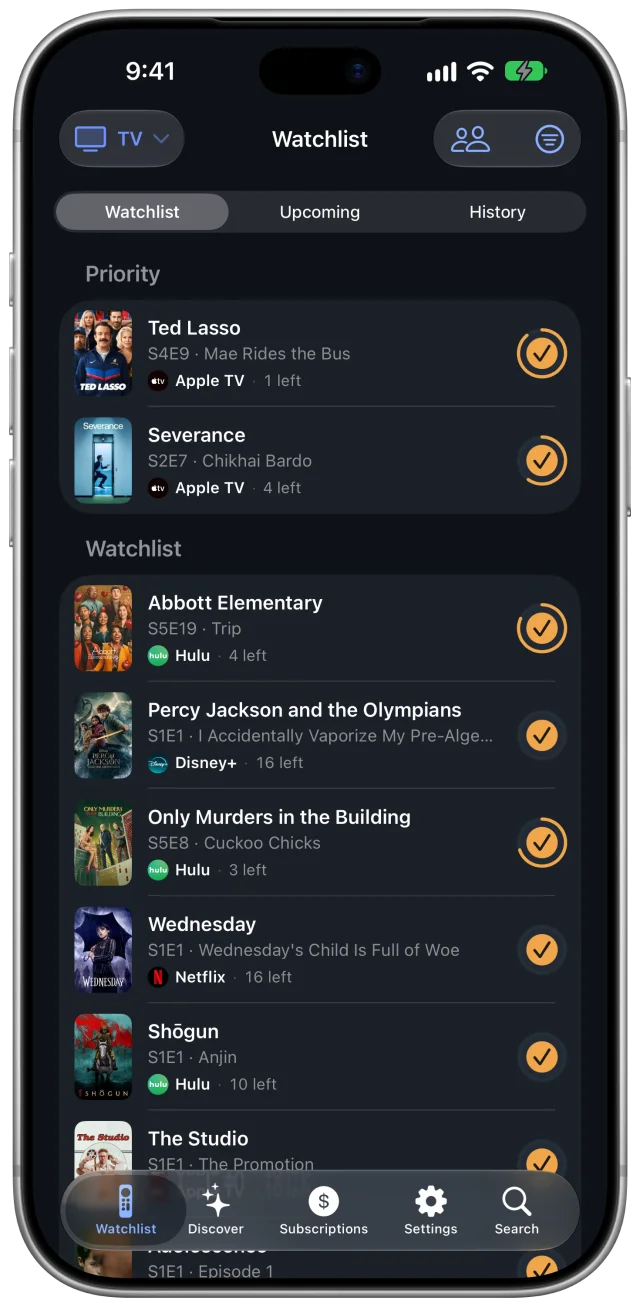
  • One tap for the next episode. Mark it from the list. A ring shows how far through the season you are.
  • Alerts at the time you choose. New episodes and movies on the day they're out, at 6 PM by default, once they've actually landed.
  • Siri, Shortcuts and Spotlight. Ask Siri what's next, mark the next episode from a shortcut, find any title from Spotlight.
  • Bring your history. Import from Trakt, Plex, Jellyfin, Emby, Letterboxd, IMDb, Simkl and more, read on your iPhone. With Pro, Trakt and your media server stay in sync both ways.
  • Your country, your language. Your own country's services first, in English, Spanish, German, French, Japanese, Korean or Portuguese.

Free to track. Pro to save.

Skipper

Free

Tracking, For You and the rest of Discover, where to watch on your services and your own media server, Watching With, Open In, episode alerts, imports, iCloud sync, Siri and Spotlight. The iPhone and iPad apps show ads; the Apple TV app never does.

Skipper Pro

$2.99 a month or $29.99 a year

No ads, anywhere. Picks from the services you already pay for. A month-by-month plan for your subscriptions. Alerts that save money: a movie or show arriving on a service you have, a service with nothing left for you. Trakt, Plex, Jellyfin and Emby sync. Shared with your family through Family Sharing.

US prices. The App Store sets prices in other countries.

Yoav Zoldan

Why I made Skipper

I've kept track of what I watch for years. A while back, an Apple podcast I listen to kept running VPN ads that promised to unlock Netflix catalogs from around the world. It got me wondering: if a show I want isn't on Netflix here in Chile, which country has it? I wanted that answer for every show on my list.

That question is where Skipper started. It shows where your shows are on the services you already pay for, in your own country first and then everywhere else.

Once I used it every day, I wanted two more things.

About half of what I watch, I watch with my wife. When it's just me, I like picking from my shows. When we sit down together, I like picking from ours. That became Watching With.

I was also paying for every service under the sun, while really using two or three at a time. That became Subscriptions, which shows the services my shows actually need each month.

I built Skipper for myself first, and now I'm excited to share it. I hope it saves you some searching, and a little money too. And if there's something you wish it did, write to me at . That's how it keeps getting better.

Yoav Zoldan, maker of Skipper

Questions? Read help and answers, or write to in English or Spanish. Writing about Skipper? The press kit has everything in one place.