Every show you watch, in one place.
Know what's next, where to watch it, and when it's out. Then pay only for the streaming services your shows need.
Coming soon to the App Store · iPhone, iPad and Apple TV
What it does
Less searching, less paying for services you don't use.
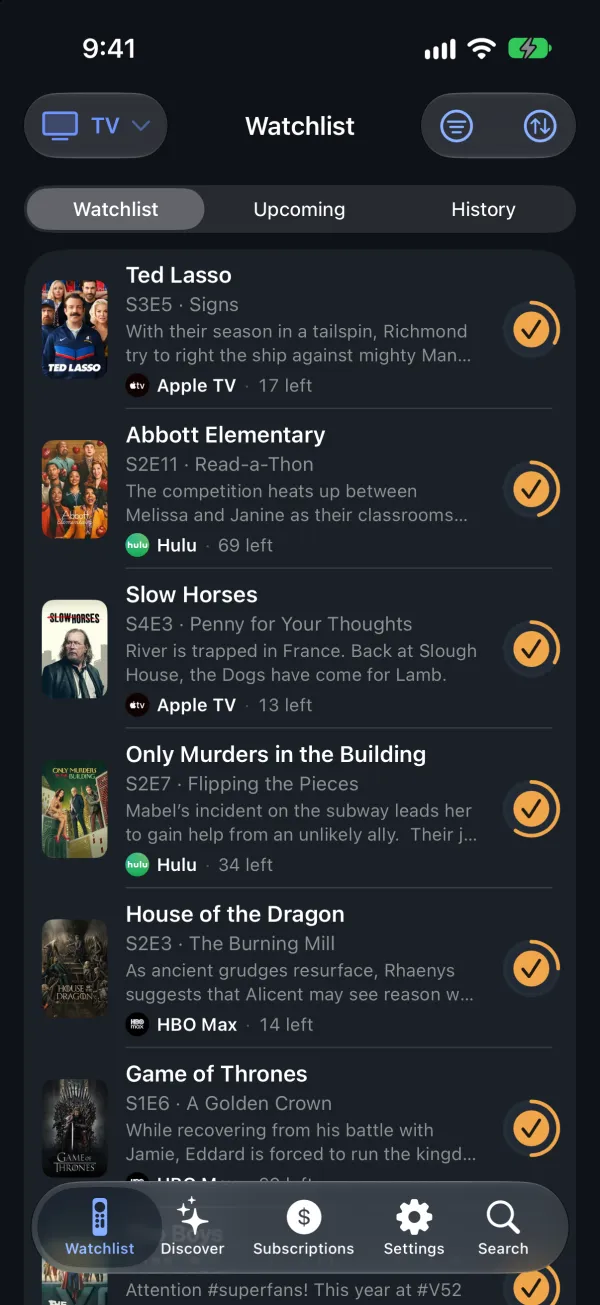
Your Watchlist, always up to date
Track shows and movies, mark episodes as you watch, and see what's next for everything you follow. New seasons and releases show up on their own.
- What to watch next, what's coming up, and everything you've watched
- Mark a whole season, or everything up to an episode, in one tap
- Syncs across your devices with iCloud, no account needed
Where to watch, on your services
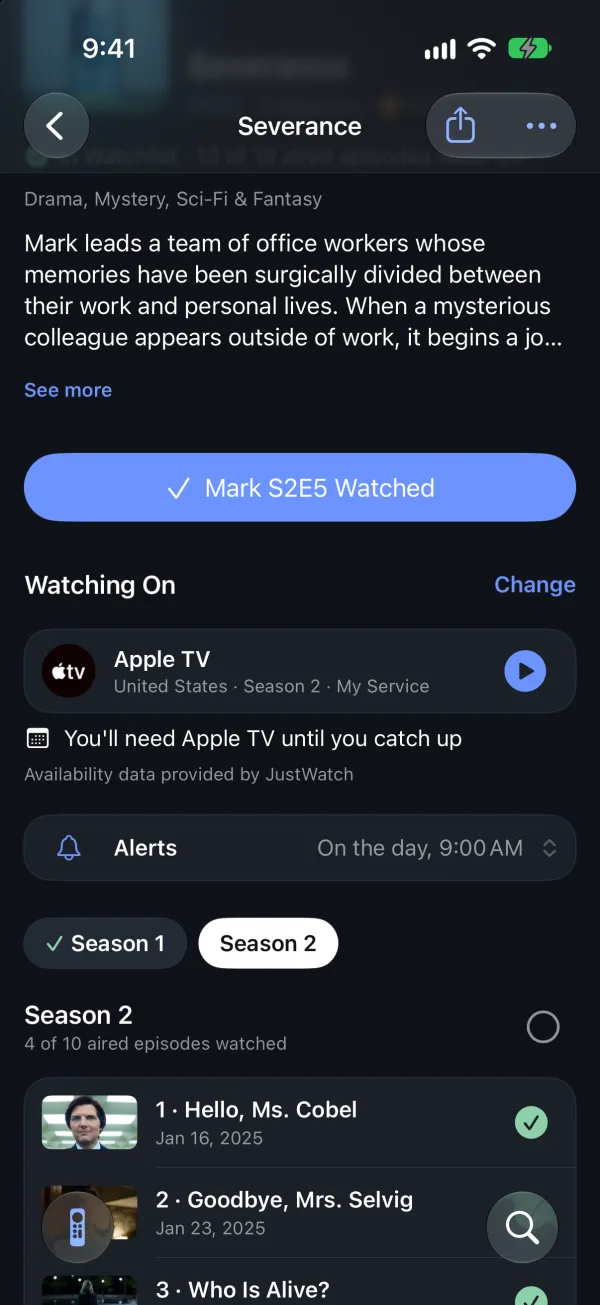
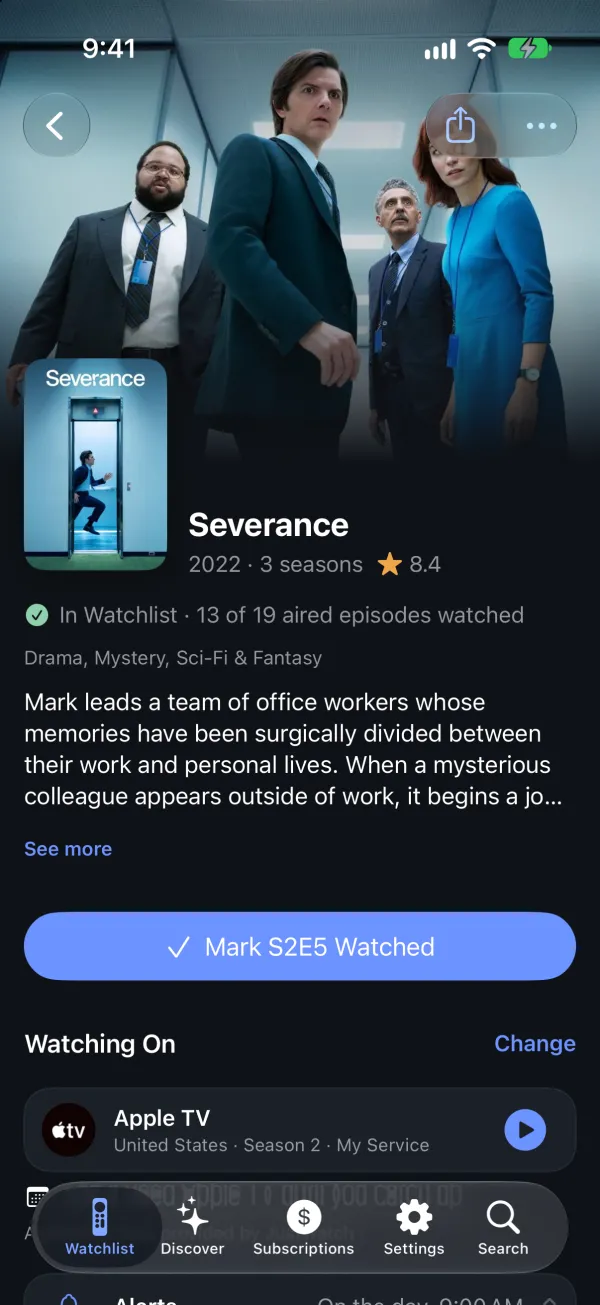
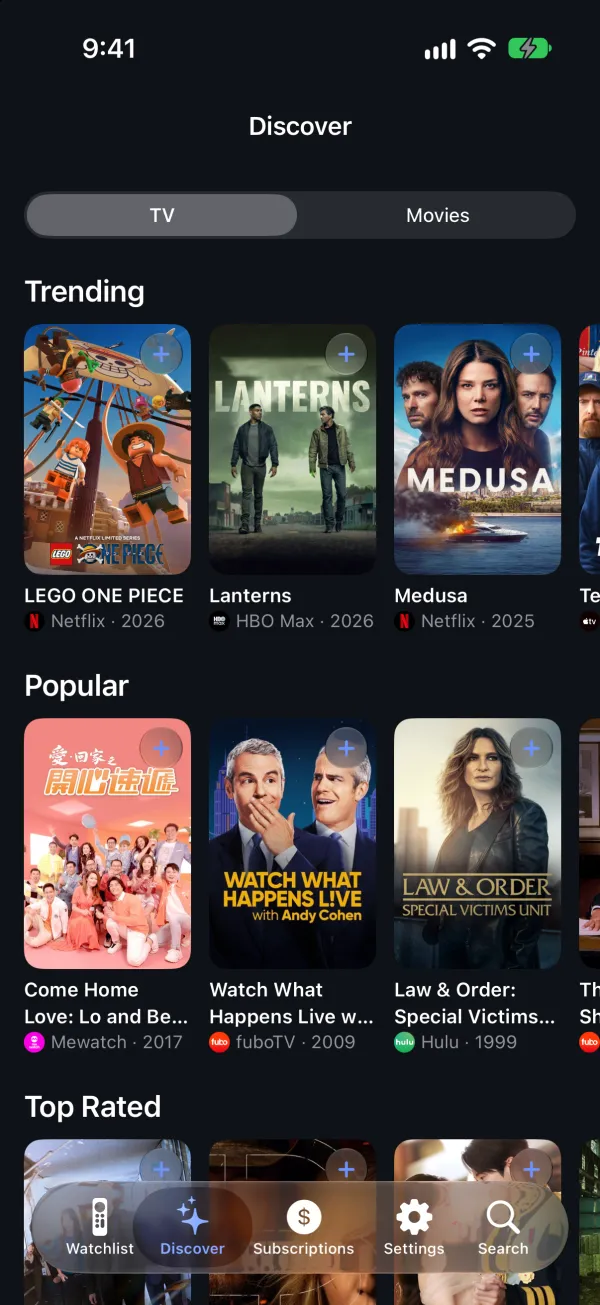
Tell Skipper which services you have and your country. Every title shows where you can watch it, with your services first, and opens right in the service's app.
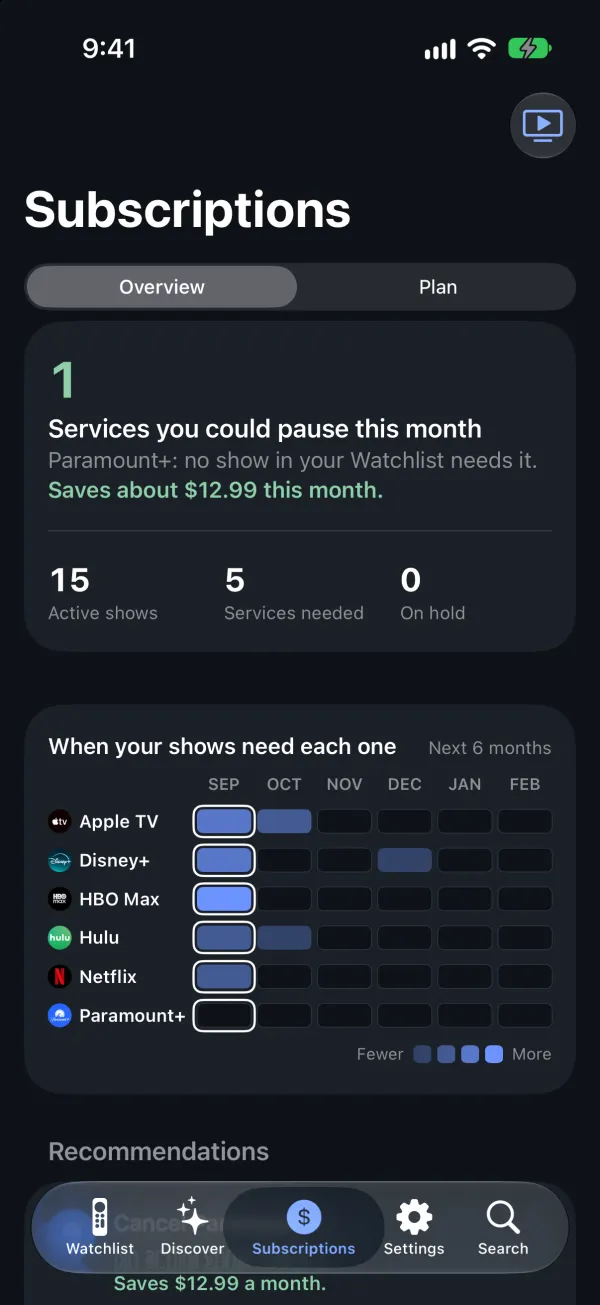
Pay only for what you'll watch
The Subscriptions tab shows which of your services your shows use, and which have nothing for you right now. With Skipper Pro you get a plan, month by month: when to pause a service until a show comes back, which one nothing needs anymore, and how to watch one service at a time.
Bring your history with you
Moving from another app? Import what you've watched from TV Time, Trakt, Letterboxd, IMDb, Simkl or Television Time. The file is read on your iPhone.
- Alerts when a new episode or movie comes out, at the time you choose
- Find titles from Spotlight, and ask Siri what's next
On the big screen
Your Watchlist, on your TV.
Skipper is coming to Apple TV and iPad too. See what's next and where to watch it from the couch. Your library syncs through iCloud, so it's the same on every screen.
- iPhone
- iPad
- Apple TV
Free and Pro
Free to track. Pro to save.
Skipper is free, with ads. Skipper Pro is a monthly or yearly subscription through the App Store.
Free
- Track shows and movies, episode by episode
- Where to watch, in your country, on your services
- New episode and release alerts, at the time you choose
- Imports from other apps
- iCloud sync, Spotlight and Siri
Skipper Pro
- No ads. Anywhere in the app.
- Your subscriptions plan. Which services you'll need, month by month, and ideas to need fewer.
- Alerts that save money. When a show starts streaming on your services, when a service stops being needed.
- Ongoing Trakt sync. What you watch stays in sync with Trakt, both ways.
Questions
Help and answers
Do I need an account?
No. Your library stays on your iPhone and, if you use iCloud, in your own iCloud account, so it syncs to your other devices and comes back if you reinstall. We never see it.
Where does the streaming information come from?
Title details come from TMDB, and where to watch comes from JustWatch through TMDB. Availability changes often and may be missing or out of date for some titles or countries.
How do I restore Skipper Pro on a new iPhone?
Use the same Apple Account. In Skipper, open the Settings tab, tap Skipper Pro, then Restore Purchases.
How do I cancel Skipper Pro?
Apple manages the subscription: open the Settings app on your iPhone, tap your name, then Subscriptions, and choose Skipper Pro. You keep Pro until the end of the period you paid for. Refunds are handled by Apple at reportaproblem.apple.com.
Can I share Pro with my family?
Yes. Skipper Pro supports Family Sharing, so people in your Apple family group get Pro too.
How do I connect Trakt?
In Skipper, open the Settings tab and connect Trakt. You can import your Trakt history once for free; keeping Skipper and Trakt in sync after that is part of Skipper Pro.
How do I delete my data?
Your library is on your iPhone and in your own iCloud: delete Skipper to remove it from the iPhone, and remove Skipper's data from iCloud in the Settings app (your name, then iCloud, then storage). The anonymous usage data we receive is deleted after 400 days, and you can stop sending it anytime in Skipper's Settings under Privacy. The privacy policy has the details.
Need help?
Write to us, in English or Spanish. You can also use Send Feedback in Skipper's Settings.
skipper@zolgor.com